Appearance
Starting a Workflow
Who can start: Users with the position "Document Controller".
Video Walkthrough
Understand the sending workflow process.
How to Start
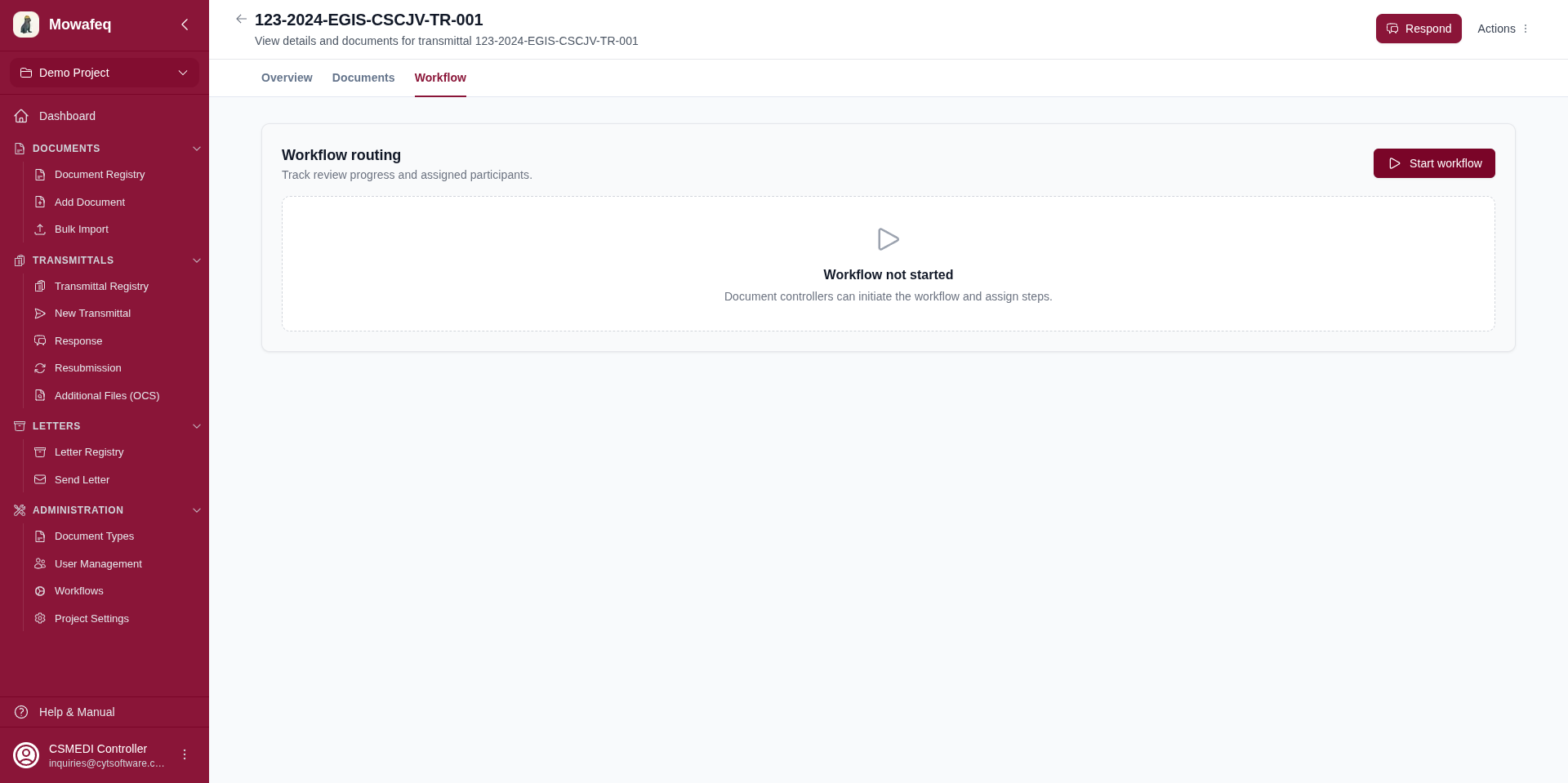
- Navigate to the transmittal or letter detail page.
- Go to the Workflow tab.
- Click "Start Workflow".
- Choose the mode:
- Preset: Select a template from the dropdown.
- Dynamic: Add one or more steps, each with a title and at least one assignee.
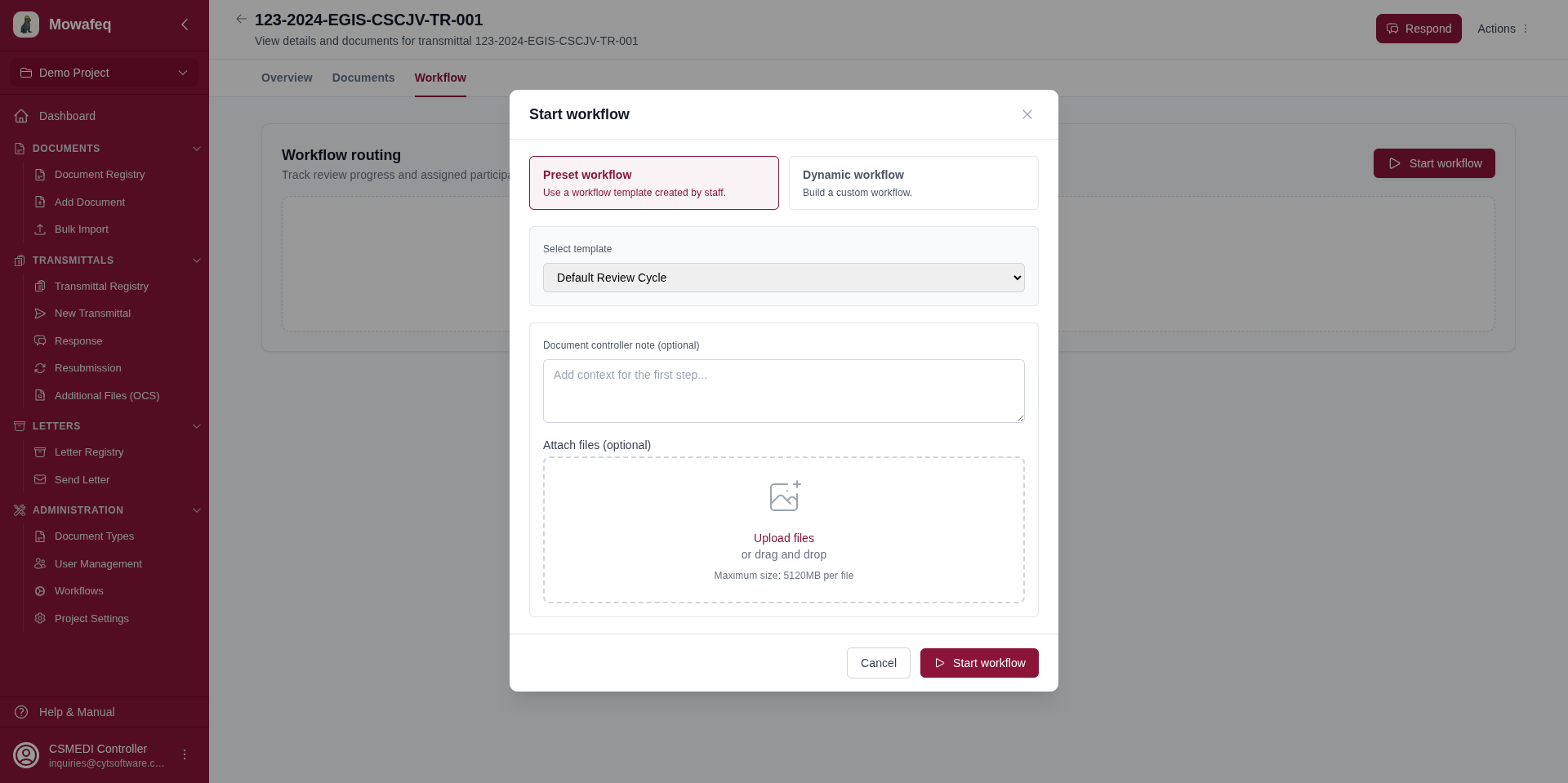
- Optionally add a document controller note and attach files.
- Click "Start".
What Happens
- A "Document Controller" step is auto-created and marked as complete (step 1).
- The first review step (step 2) activates.
- All assigned participants receive email notifications.
- If no review steps were added, the workflow completes immediately.