Appearance
Transmittal Detail Page
The detail page has three tabs:
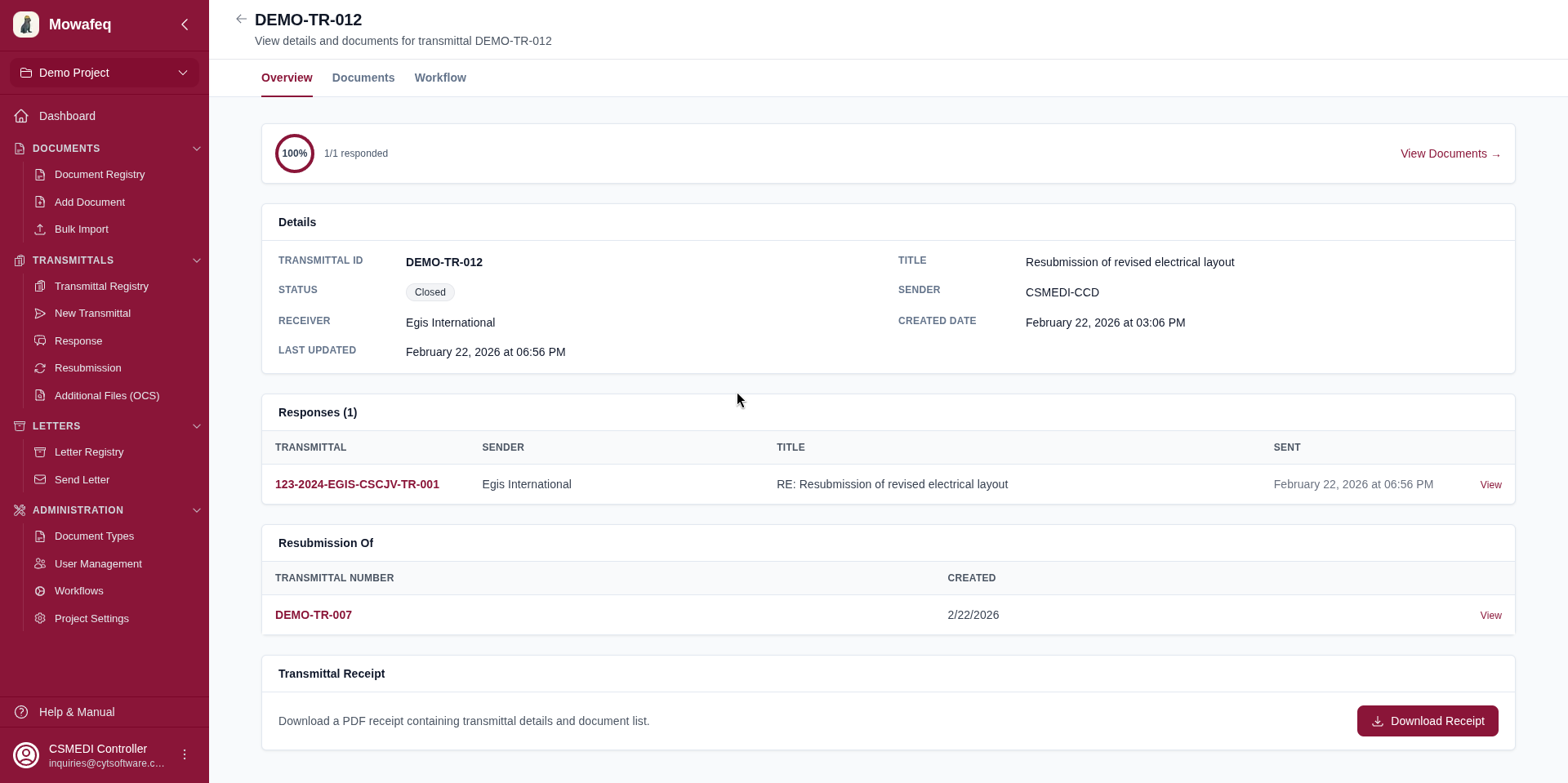
Overview Tab
- Transmittal information: Number, title, type (Normal/Response/Resubmission), sender, receivers, CC receivers, creation date, lifecycle status.
- Custom field values: Any project-level custom fields.
- Workflow status: Current workflow state and who currently holds the item (if a workflow is active).
- Chains: Links to parent transmittal (for responses/resubmissions), response transmittals, and resubmission transmittals.
- Draft banner: Orange banner with "Submit" button for draft transmittals.
- Returned banner: Yellow banner indicating the transmittal has been returned for modification.
- Download Receipt: Generates and downloads a PDF receipt for non-draft transmittals.
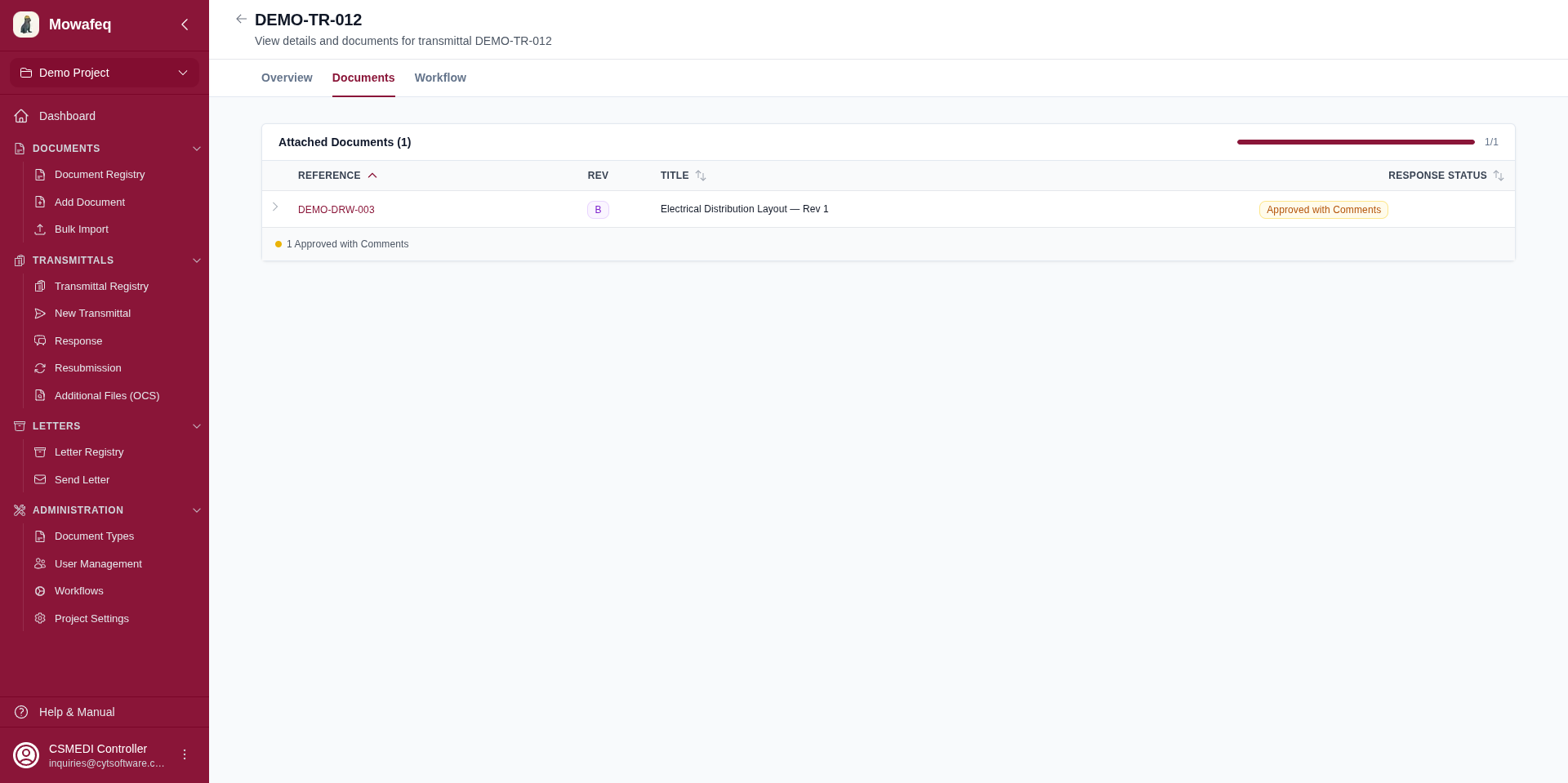
Documents Tab
- Table listing every document in the transmittal.
- Each row shows: reference (clickable link to document detail), title, revision, version, type, response status badge, and file view/download actions.
- Click the expand arrow to see: response transmittal link, response document link, and comment.
- Footer: A summary bar with colored dots and counts for each response status plus pending count.
Workflow Tab
Shows the internal review workflow. See the Workflows section for details.