Appearance
Letter Registry
Navigating: Click "Letters Registry" in the sidebar.
Video Walkthrough
Manage incoming and outgoing letters in the letters registry.
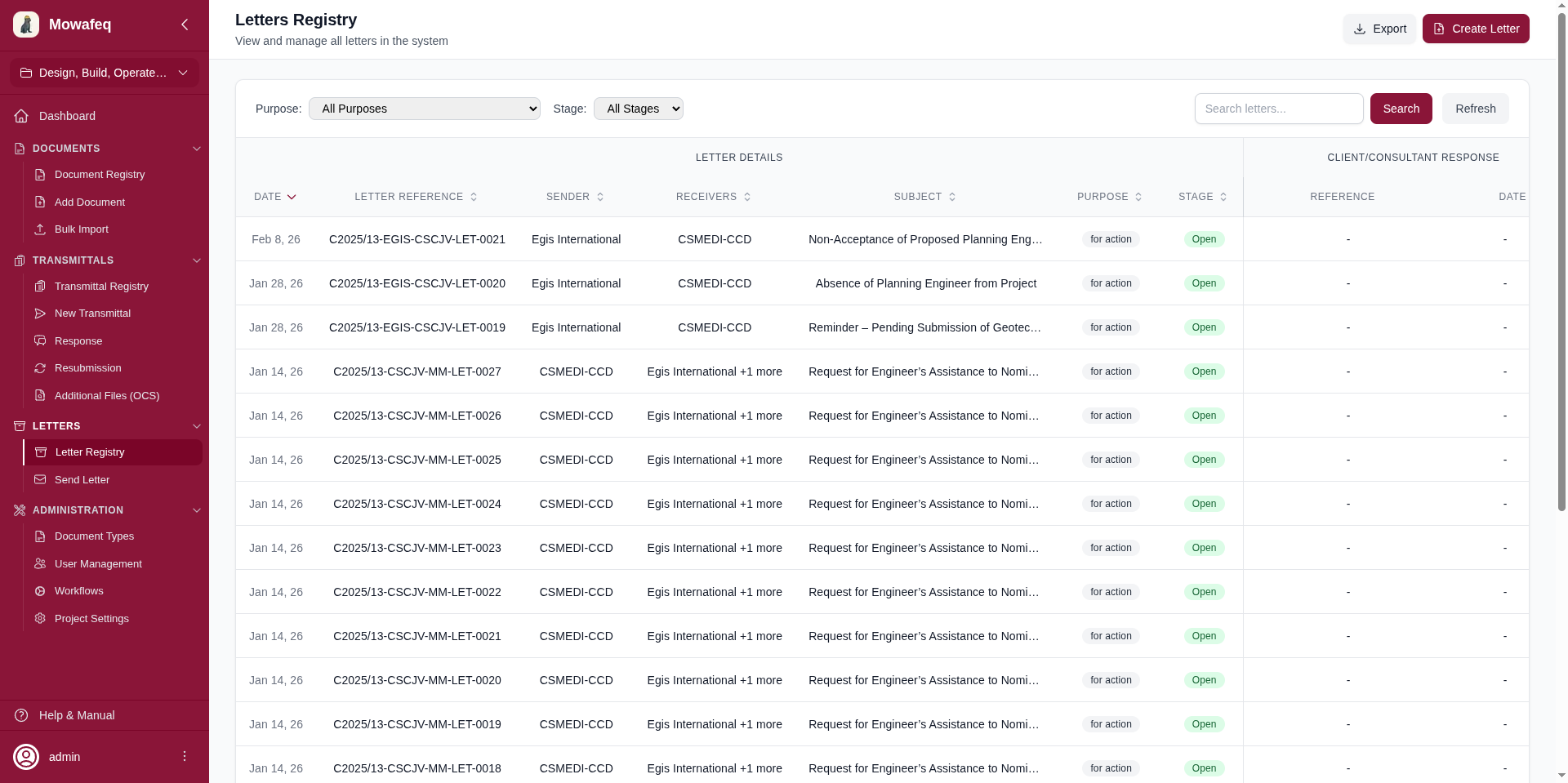
Columns
| Column Group | Column | Sortable | Description |
|---|---|---|---|
| Letter Details | Date | Yes | Creation date |
| Letter Reference | Yes | Unique reference number | |
| Sender | Yes | Sending company | |
| Receivers | Yes | Receiving companies (first + overflow count) | |
| Subject | Yes | Letter subject (truncated with tooltip) | |
| Purpose | Yes | "For Action" or "For Information" (badge) | |
| Stage | Yes | Open (green) or Closed (red) badge | |
| Response | Response Reference | - | Reference of the most recent reply |
| Response Date | - | Date of the most recent reply |
The response columns are clickable and navigate to the response letter.
Filters
- Purpose: Dropdown of available purposes.
- Stage: Open or Closed.
- Search: Text search across subject, keyword, letter reference, sender name, receiver name, purpose, and stage.
- Clear Filters: Resets all active filters.
Sorting, Pagination, and Export
- Default sort: newest first. Click any sortable column to change.
- Page size options: 10, 20, 50, 100 (default 20).
- Export all filtered results to Excel.
Visibility
You only see letters where your company is the sender or a receiver.