Appearance
Document Types
Navigating: Sidebar > Administration > Document Types.
Video Walkthrough
Define and manage document type categories.
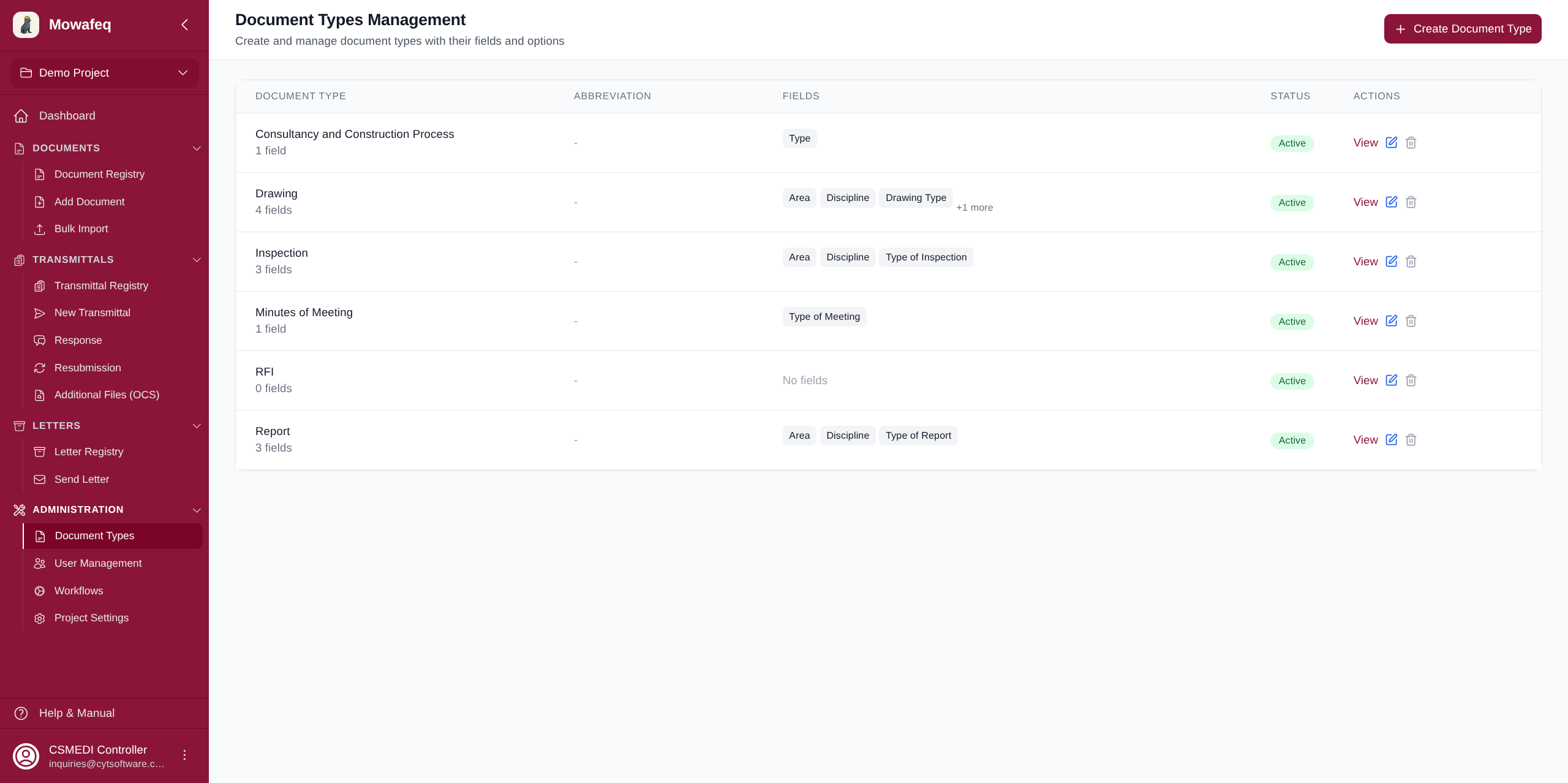
Document types define the categories of documents in the project (e.g., "Shop Drawings", "Specification", "Method Statement").
Type Structure
Each type has:
- Name: Display name.
- Abbreviation: Short code used in auto-generated reference numbers (e.g., "SD", "SPEC").
- Active/Inactive: Inactive types are hidden from creation forms but preserved for existing documents.
- Fields: Ordered list of dropdown fields. Each field has a name (e.g., "Discipline") and options with display values, abbreviations, and active status.
Operations
- Create: Define a new type with its fields and options.
- Edit: Rename, change abbreviation, add/modify/remove fields and options, toggle active status.
- Delete: Remove a type entirely (only allowed if no documents of that type exist).